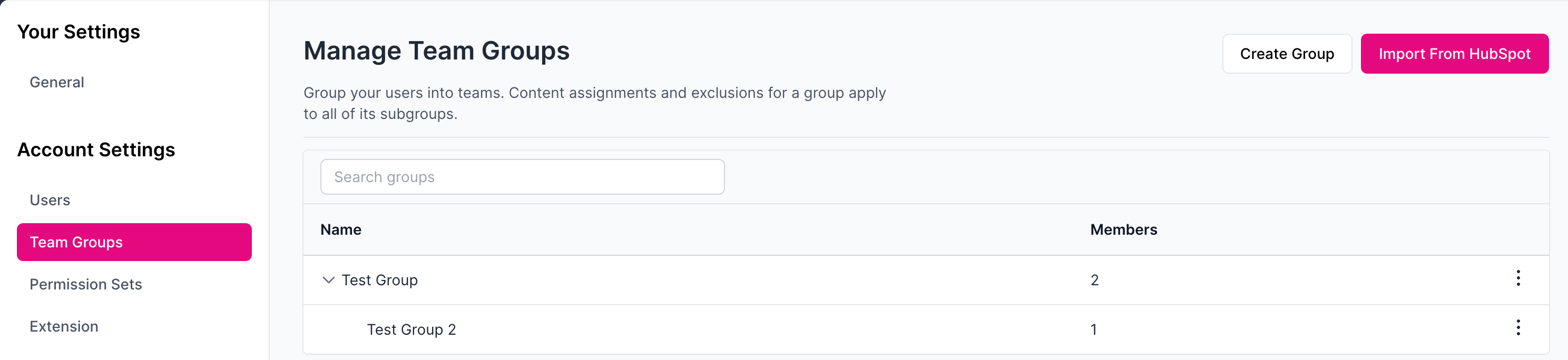
Improved Feature: Introducing Group Hierarchies

Previous state: Groups behaved as a flat list with no relationship to one another. Each group’s membership, member count, and content/ACL assignments were isolated. There was no way to organize related groups together and have various settings applied to all.
Improved state: Groups can now be organized into hierarchies with parent groups and subgroups.
Nested subgroups: Groups can be nested under a parent group.
Membership flows upward: Members of a subgroup automatically count as members of every group above it in the hierarchy. Anything assigned or excluded at the parent level (content, announcements, page triggers, rules, etc.) will now apply to that group’s entire subtree.
Clearer member counts: Group totals now include subgroup members with a breakdown of who is a direct member, who is inherited from a subgroup, and who belongs to both.
Filters include subtrees: Filtering by a group on process boards, analytics dashboards, and leaderboards now include everyone in it’s subgroup.
How to update:
Settings → Team Groups