Customize Tour Guide Tooltip Text
If a user sets custom tooltip text in the instructions, this is not reflected in the in-app guidance.
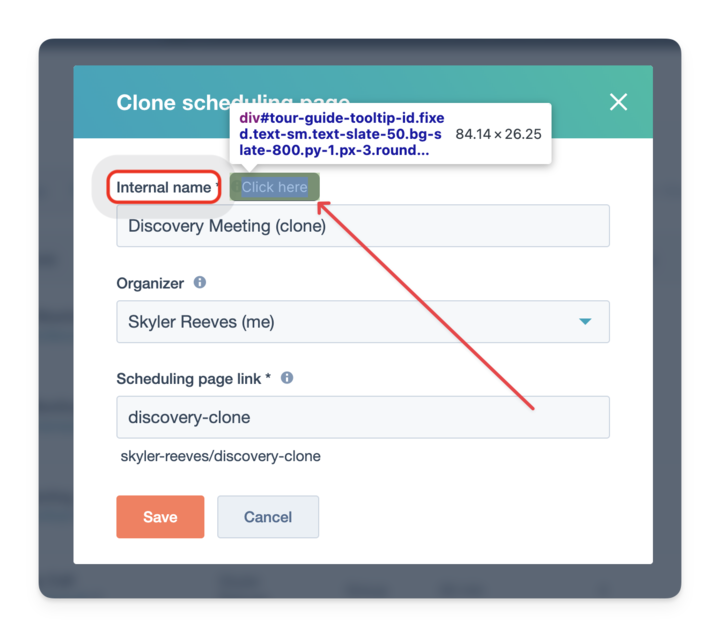
Adding this would give users additional context beyond “Click here” when following steps. e.g., Tango sets the instructions of the step to the in-app tooltip text. See image below.
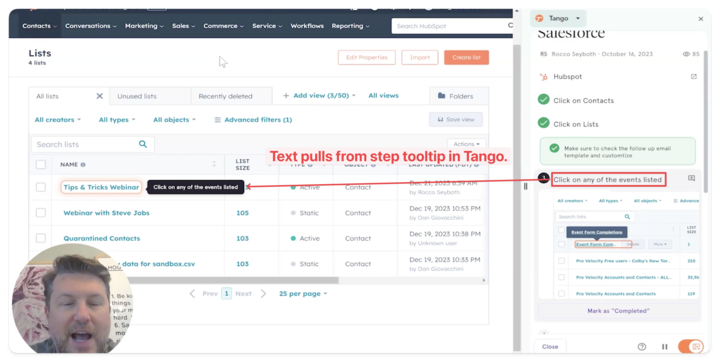
Note: This isn’t the best example. In this example, Tango recognizes that’s acceptable for a user to click on any of the events because it’s a dynamic step—but you get the gist.
Log in to comment and vote
Comments3
Skyler Reeves
Dec 4, 2025
@Steve Bussey - I think this is possible now. Yeah?
Steve Bussey
Dec 4, 2025
The sidebar text is customizable but we do not customize page text. TBH I’m not actually 100% sure that we show in-page text. (I’d need to check.)
Skyler Reeves
Dec 4, 2025
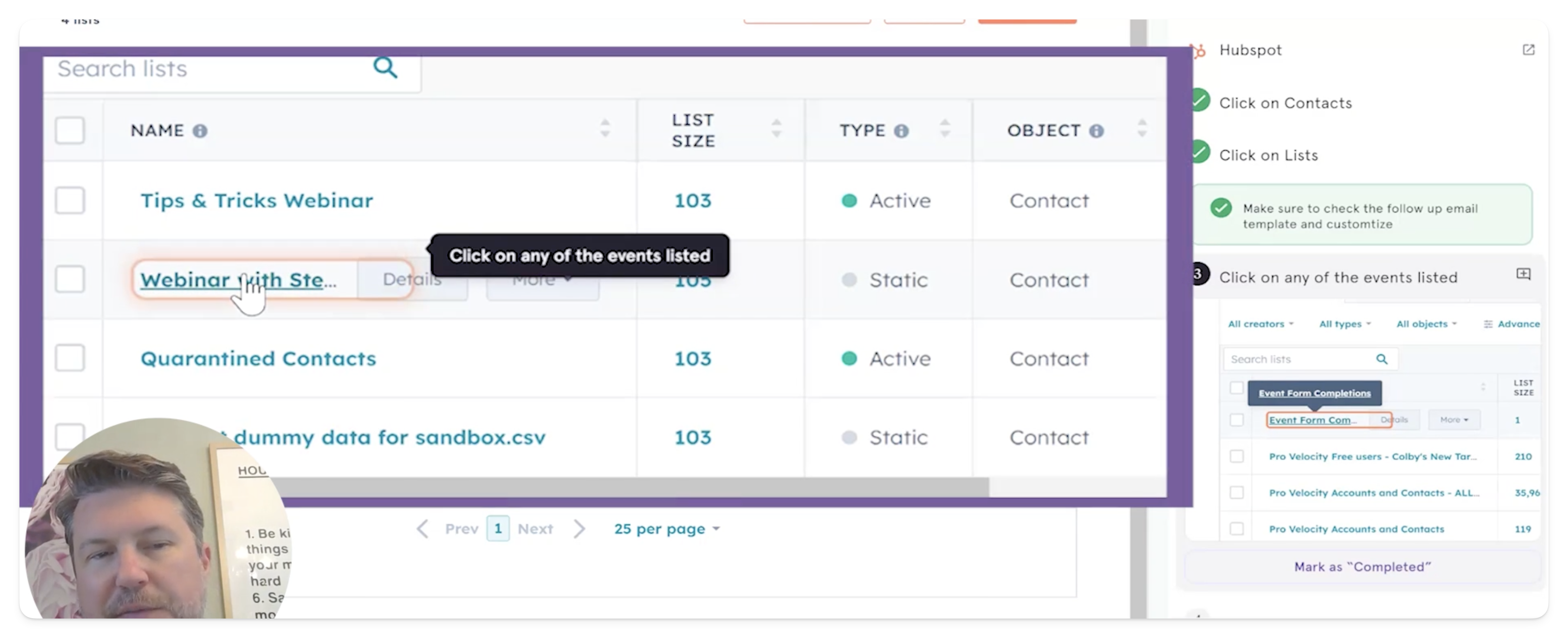
You do. I can customize the tooltip text after creating the guide. See screenshot below. So you can probably marked this as shipped.