New Feature: View & Restore 30 Days of Card History
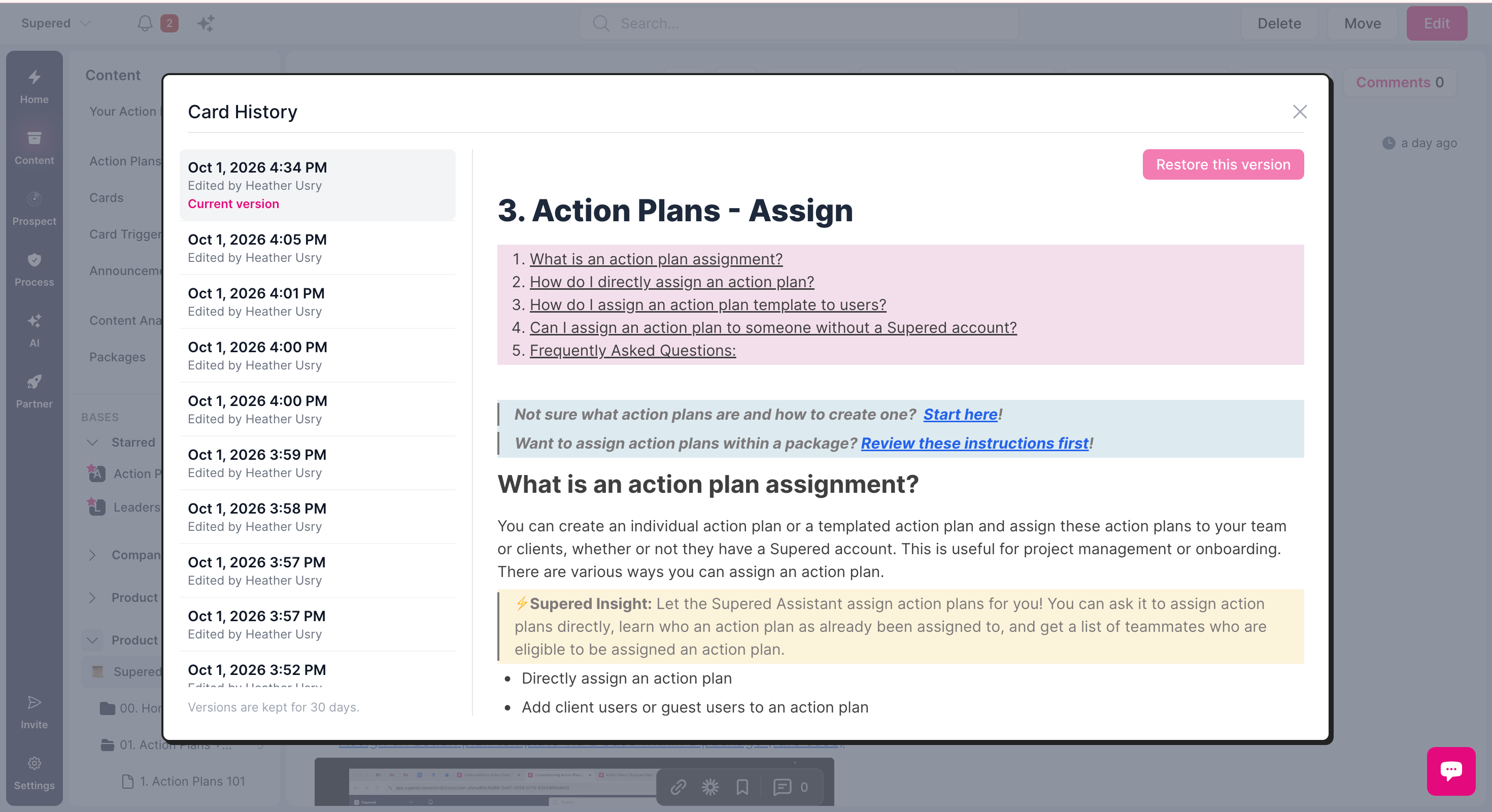
You can now view and restore your card revisions from the past 30 days. Restore any of the revisions shown so lost edits can be recovered in seconds!
How to access:
When viewing a card, you can see the “last updated” on the top right (ex: 4 days ago). Click that link and card history will open.
See current version or click to view previous versions (up to 30 days ago).
Click Restore this version if you want to restore a previous version.