Changelog

Follow new updates and improvements to Supered.

New Feature: Updates -> Announcements + Email Added
We have 2 new improvements for our ‘Updates’ feature in Supered.

  1. Updates are now called Announcements.

  2. You can now email announcements to assigned users.

Updates → Announcements

  • Flow: Content → Announcements

    • Same feature: The feature itself has not changed, just the name of it.

      • Exception: Adding the ability to email announcements.

    • Clarity is the goal: Updates were essentially announcements to the team and could get confusing when using the term “updates”, so we wanted to make the intent of this feature more clear.

Email Announcements

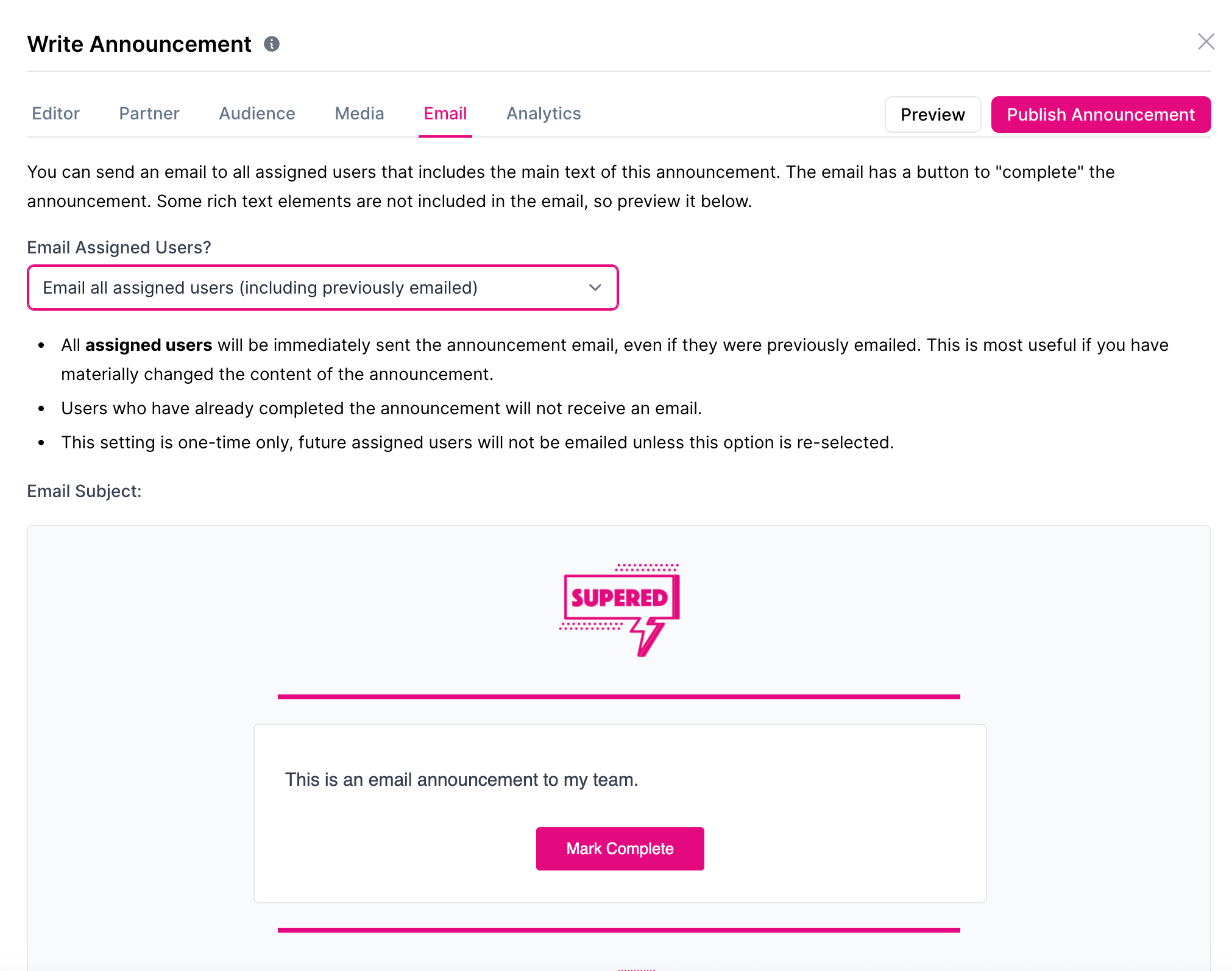
  • Flow: Content → Announcements → Create Announcement → Input content and make any other necessary edits → Email → Select: Don’t Email, Email Assigned, Email All Assigned

  • Preview: You can see a preview of your announcement in the Email tab.

    • Rich text: Some rich text elements are not included in the email, so preview it to see how the announcement will truly appear for users.

  • Email assigned users

    • Context: All previously un-emailed users will immediately be sent the announcement via email.

    • Use case: A new hire gets added sooner after an announcement was already sent.

  • Email all assigned users

    • Context: All assigned users will immediately be sent the announcement via email, even if they were previously emailed.

    • Use case: If you materially changed the content for some reason and need to ensure all users see the changes made.
New Feature: 'Updates' Added to Supered Assistant & MCP

Users can now ask Claude or Supered Assistant to create or edit Updates.

Example questions to ask:

  • "Create an update letting the team know about our new onboarding process, showing it as a banner for 7 days."

  • "Can you find our most recent announcement and update the body to include a link to our updated sales playbook?"

  • "Create a targeted announcement as a modal for just the sales team about an upcoming pipeline review, launching next Monday."

Suggested information to include in the request:

  • Name of the update

  • Display Type: Popup Modal or Banner

  • Important content, text, cards, or links to include

  • Intended audience: All, specific person, or specific group

  • # of days to show

Improved Feature: Expired Updates will be Marked as "Missed"

We’ve gotten a lot of feedback on updates that sit too long and we’re excited to share this improved feature with you!

Previous state: An update has been out for a while and it’s still showing up for your team, which can be really annoying.

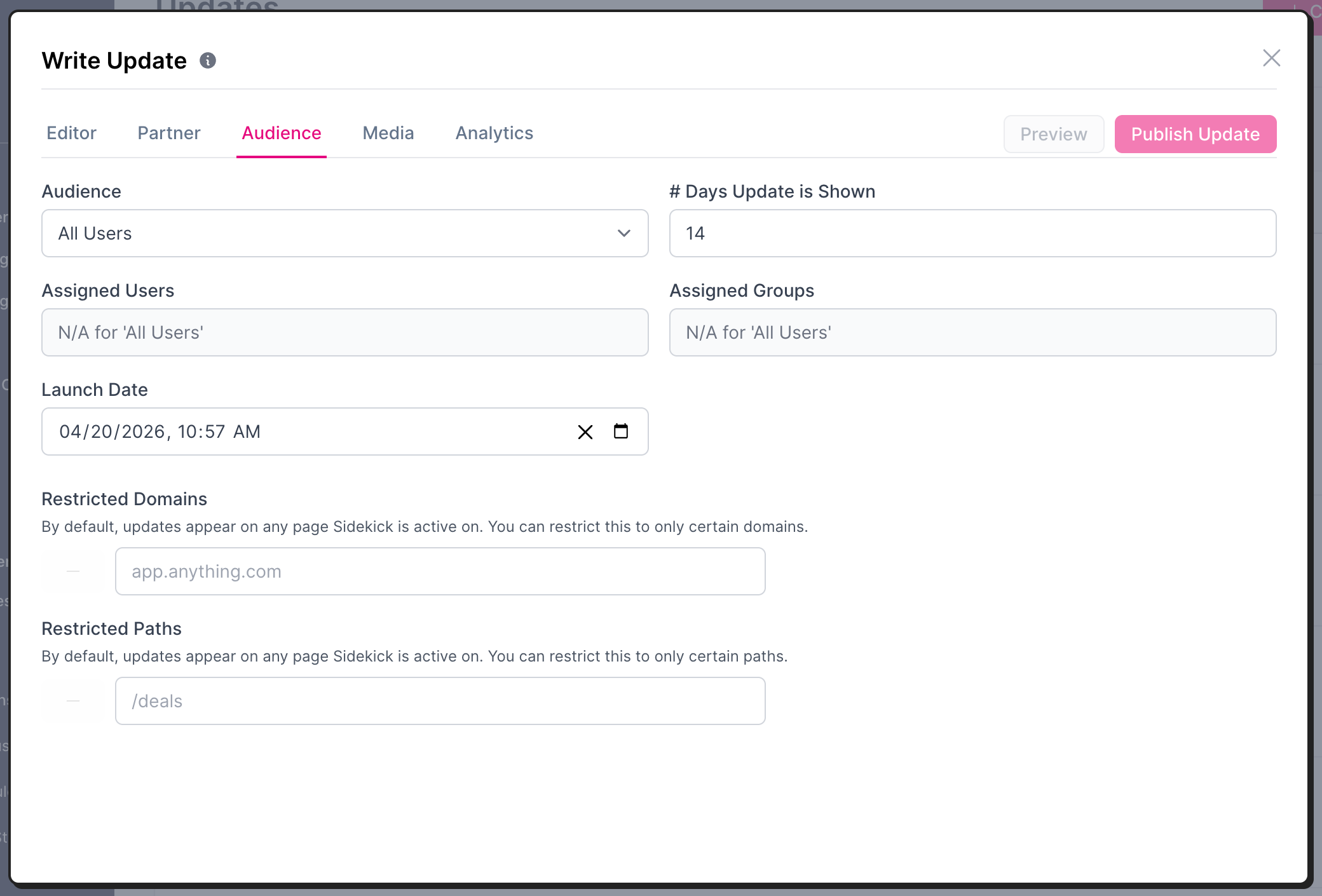
Improved state: Once an update reaches the “# Days Update is Shown” and expires, the update will be marked as “missed” and will no longer be shown to your team.

  • Default: This defaults to 14 days and you can adjust under “Audience”

  • Missed: View under the “Analytics” tab once the update is published