New Feature: Process Board Notifications
Admins can now configure automated email and Slack notifications for process boards.
How to:
Click the gear icon next to the board title to edit the settings of the board.
Select the Notifications tab.
Check the Enabled box and select your preferences.
Daily or Weekly
Weekly: Shows previous 2 weeks
Daily: Shows previous 2 days
Streak Exempt Days: The org-wide streak exempt days that are selected in the ‘Processes general settings’ will be accounted for.
People or Groups
Slack channels
External emails
Email all board members
Note: Only available with a ‘manual only’ board.
Click Save.
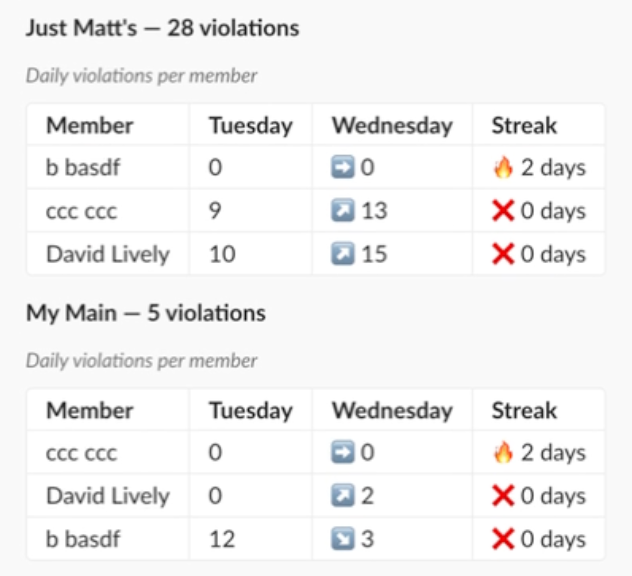
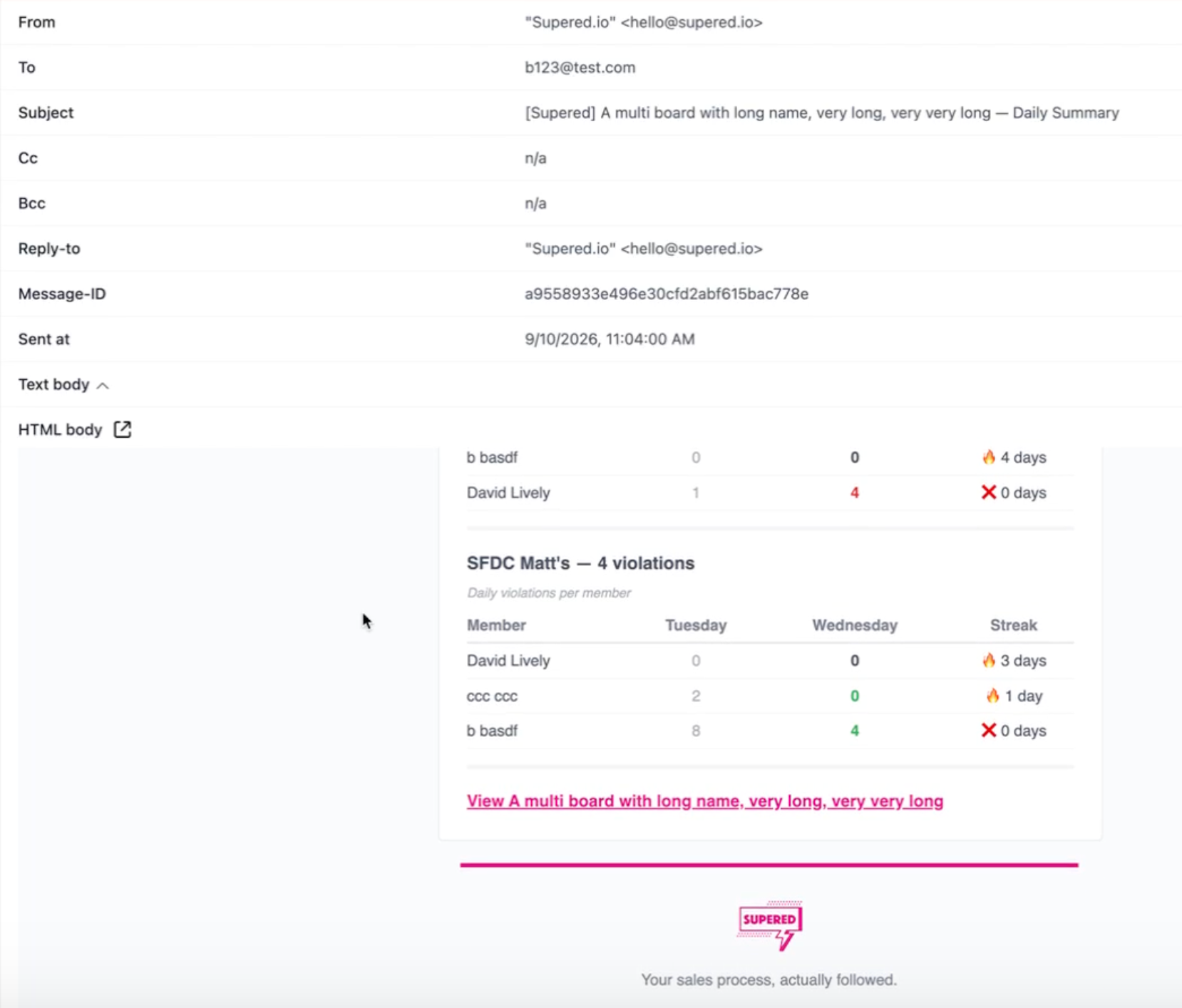
Notifications:
Include:
Board performance summary
Current vs. previous period stats
Per-board breakdowns