New Feature: Assign Action Plan to All Users on a Team
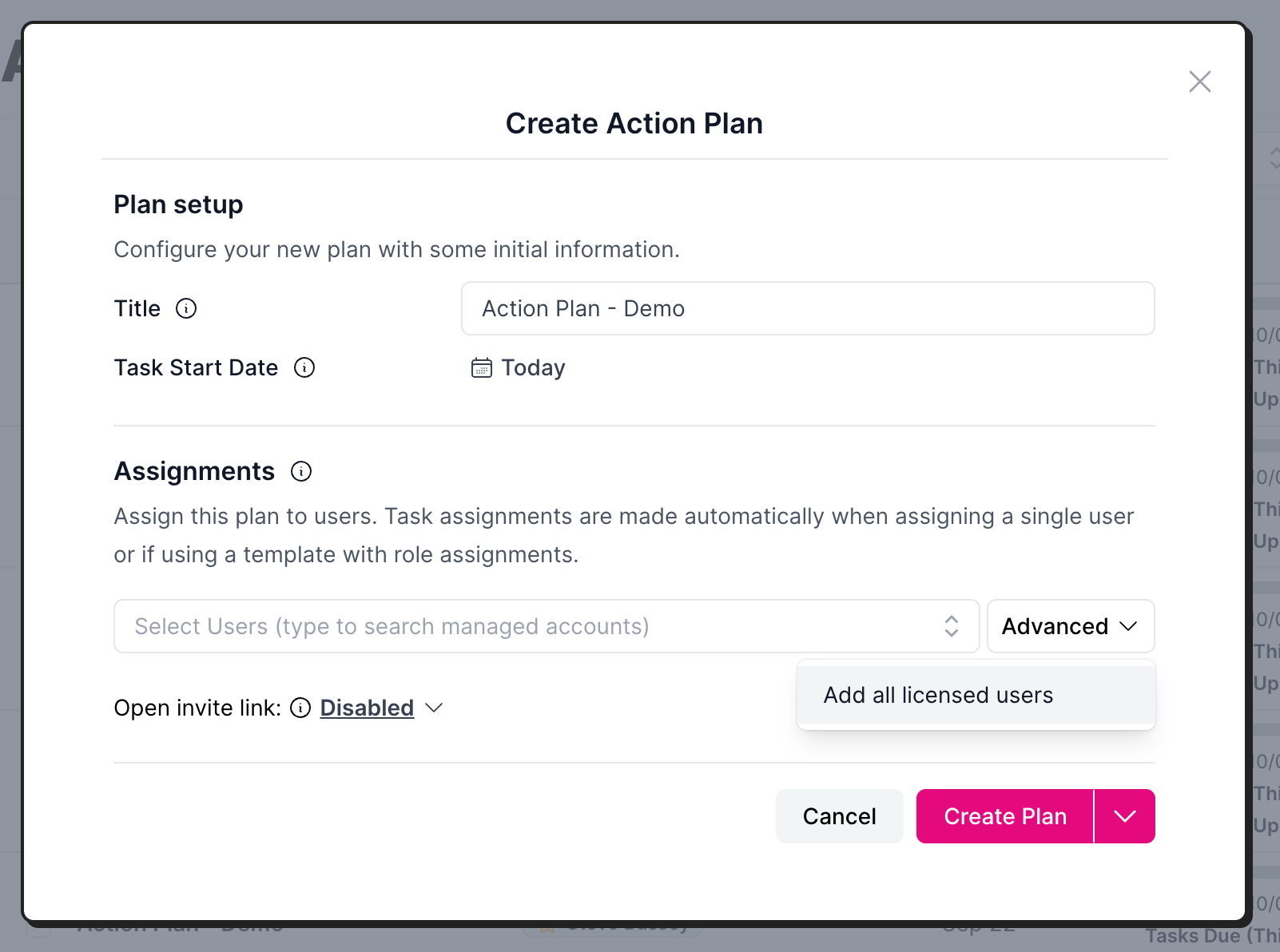
When creating an action plan, you can quickly assign it to every user in your account.
Benefit: This is useful when you want to do a team-wide onboarding.
How to add all users:
When creating an action plan:
Under Assignments, click the Advanced drop down, select Add all licensed users.
When adding users to an existing plan:
Click the 3 dots on the right (actions), select Manage Users, then click the Advanced drop down, and select Add all licensed users.